通达信数据读取接口
==================
[](http://badge.fury.io/py/mootdx)
[](https://travis-ci.org/mootdx/mootdx)
[](https://mootdx.readthedocs.io/zh/latest/?badge=latest)
[](https://pyup.io/repos/github/mootdx/mootdx/)
如果喜欢本项目可以在右上角给颗⭐!你的支持是我最大的动力😎!
**郑重声明: 本项目只作学习交流, 不得用于任何商业目的.**
- 开源协议: MIT license
- 在线文档: <https://www.mootdx.com>
- 国内镜像: <https://gitee.com/ibopo/mootdx>
- 项目仓库: <https://github.com/mootdx/mootdx>
- 问题交流: <https://github.com/mootdx/mootdx/issues>
版本更新(倒序)
--------------
版本更新日志: <https://mootdx.readthedocs.io/zh_CN/latest/history/>
运行环境
--------
- 操作系统: Windows / MacOS / Linux 都可以运行.
- Python: 3.8 以及以上版本.
安装方法
--------
> 新手建议使用 `pip install -U 'mootdx[all]'` 安装
### PIP 安装方法
```shell
# 包含核心依赖安装
pip install 'mootdx'
# 包含命令行依赖安装, 如果使用命令行工具可以使用这种方式安装
pip install 'mootdx[cli]'
# 包含所有扩展依赖安装, 如果不清楚各种依赖关系就用这个命令
pip install 'mootdx[all]'
```
### 升级安装
```shell
pip install -U tdxpy mootdx
```
> 如果不清楚各种依赖关系就用这个命令 `pip install -U 'mootdx[all]'`
使用说明
--------
> 以下只列举一些例子, 详细说明请查看在线文档: <https://www.mootdx.com>
通达信离线数据读取
```python
from mootdx.reader import Reader
# market 参数 std 为标准市场(就是股票), ext 为扩展市场(期货,黄金等)
# tdxdir 是通达信的数据目录, 根据自己的情况修改
reader = Reader.factory(market='std', tdxdir='C:/new_tdx')
# 读取日线数据
reader.daily(symbol='600036')
# 读取分钟数据
reader.minute(symbol='600036')
# 读取时间线数据
reader.fzline(symbol='600036')
```
通达信线上行情读取
```python
from mootdx.quotes import Quotes
# 标准市场
client = Quotes.factory(market='std', multithread=True, heartbeat=True)
# k 线数据
client.bars(symbol='600036', frequency=9, offset=10)
# 指数
client.index(symbol='000001', frequency=9)
# 分钟
client.minute(symbol='000001')
```
通达信财务数据读取
```python
from mootdx.affair import Affair
# 远程文件列表
files = Affair.files()
# 下载单个
Affair.fetch(downdir='tmp', filename='gpcw19960630.zip')
# 下载全部
Affair.parse(downdir='tmp')
```
加微信交流
----------

常见问题
--------
M1 mac 系统PyMiniRacer不能使用,访问:
<https://github.com/sqreen/PyMiniRacer/issues/143>
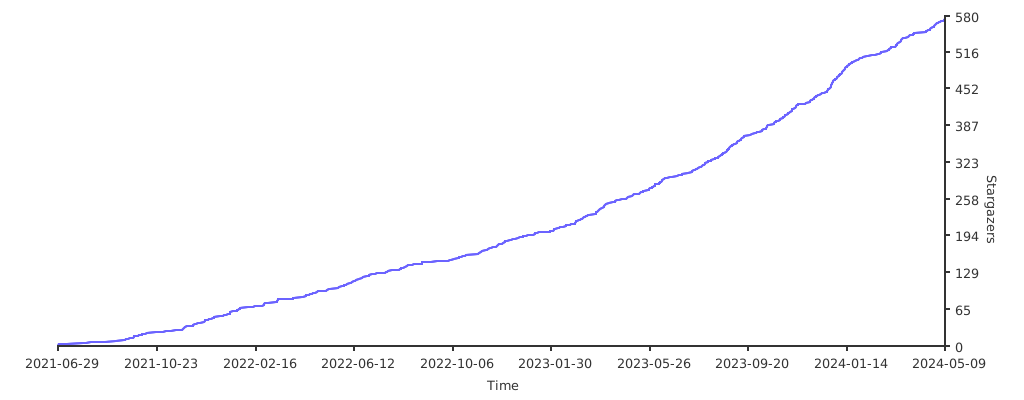
## Stargazers over time
[](https://starchart.cc/mootdx/mootdx)